 SAFE HOMES
DStv Explora & Explora Ultra Installation
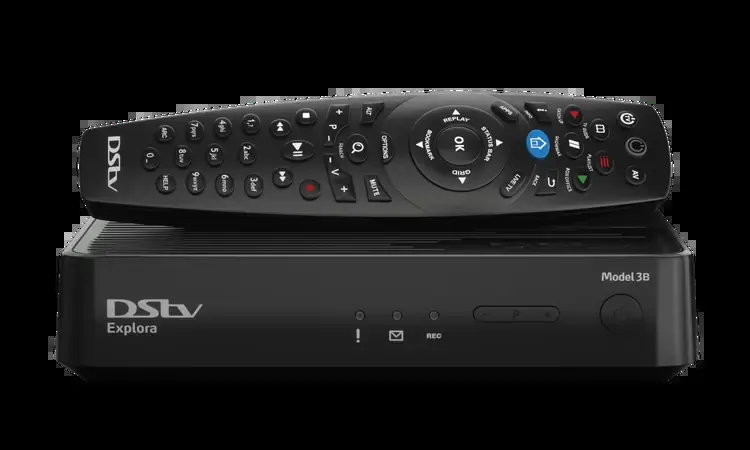
Explora and Explora Ultra installations need a compatible signal path, decoder configuration and a clear understanding of the number of viewing points. Safe Homes checks the existing dish, LNB, cabling and any shared distribution before quoting.
A reliable result starts with compatibility.
Explora and Explora Ultra installations need a compatible signal path, decoder configuration and a clear understanding of the number of viewing points. Safe Homes checks the existing dish, LNB, cabling and any shared distribution before quoting. The exact installation method depends on the existing equipment and property layout. We confirm the scope before quoting.
- DStv Explora and Explora Ultra installation
- Decoder installation, replacement and upgrades
- ExtraView configuration and additional TV points
- Dish alignment, LNB replacement and signal troubleshooting
- Communal systems for complexes and guest accommodation
Include these details
- Decoder models or existing distribution hardware
- Number of televisions, rooms or units
- Whether viewing must be independent on each TV
- Existing dish, LNB and cable information
- Suburb and property type
Can you install Explora Ultra?
Yes, the site needs to be checked for compatible dish, Smart LNB and signal/distribution requirements. Shared-dish and multi-view properties need a more detailed assessment.
What is ExtraView?
ExtraView links compatible decoders so viewing can be shared across more than one television under the applicable subscription and account rules. Decoder compatibility and signal cabling matter.
Can DStv be distributed over fibre?
Fibre-based distribution can be used in some buildings, but the correct head-end, optical distribution equipment, decoder compatibility and design must be confirmed for the property.
Why does DStv show no signal?
Weather, dish movement, cable or connector faults, LNB issues and shared distribution faults can all affect signal. Diagnosis should check the complete signal path.
Need this system assessed?
Send Safe Homes the property details and the equipment you already have.